 Jiju Studio
Turn an Instagram reel into a Hinglish explainer reel
Paste the reel link, add your angle, and get back a new vertical reel in your own template and voice — with captions for Instagram, Facebook and YouTube.
Try it with a reel link
Paste a link like https://www.instagram.com/reel/…. You'll log in to the studio, see a preview of the downloaded reel, and then choose how to remake it.
Rights first. Import reels you made or have permission to reuse. The studio remakes and explains a topic in your own template and voice; it does not re-post the original video. Credit the original creator when you build on their idea.
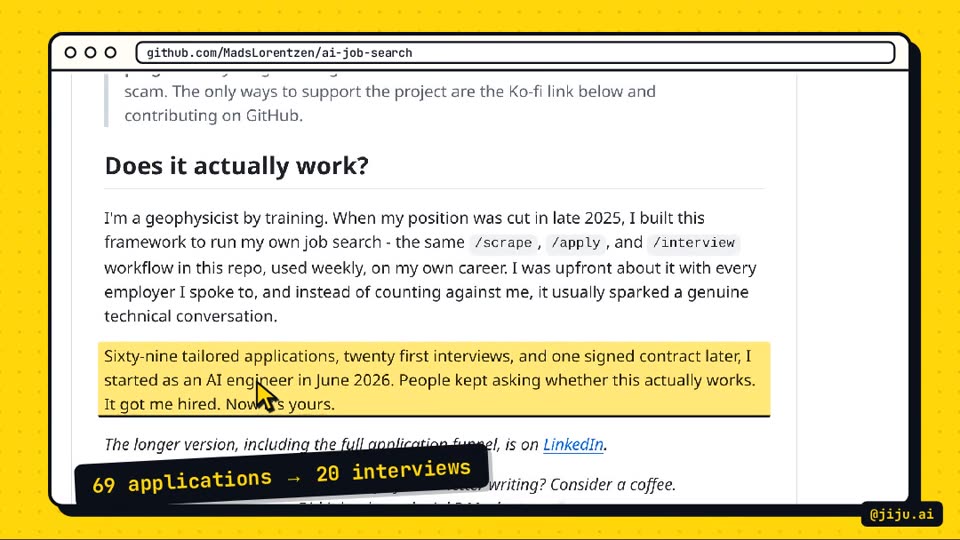
Output frame from a real remake
What happens after you paste the link
The reel is downloaded once, then used as source material for a brand-new video.
Download + preview
The studio fetches the reel to its server and shows the video and original caption, so you can confirm it before anything else runs.
Your notes
Add the tool's website, the point to make and what to avoid. Set the series day if you post daily.
Remake
AI writes a Hinglish script, records the voice, captures the website and renders a 1080×1920 reel in your template.
Tweak + download
Change anything in chat, then download the MP4 and captions or publish to YouTube.
Why remake instead of re-posting?
A remake is yours: your voice, your template, your explanation. Re-uploading another creator's reel is a copyright problem and usually gets low reach, because platforms detect duplicates. An explainer that adds context — what the tool does, how to set it up, what it costs — is new work that your audience can't get from the original.
What makes a good source reel?
The best sources announce or demo one specific tool, feature or update. A reel about “an AI agent that writes your LinkedIn posts” gives the studio something concrete to explain and a website to capture. Vague motivation reels or memes don't give it much to work with — for those, start from a website link instead.
Which links work?
Public Instagram reel links (/reel/, /reels/, /p/) work best. Private accounts, deleted posts and anything that needs a login can't be downloaded. If a link fails, save the video yourself and upload the file on the Create page.
Want the long version? Read how to turn an Instagram reel into a Hinglish explainer reel, step by step.
Questions people ask
How does importing an Instagram reel by URL work?
You paste the reel's link and press Next. The studio downloads the video to its own server, shows you a preview, and then you add notes — the tool's website, the angle, anything to avoid — before it makes the new reel. The downloaded file is only used as source material for your remake.
Can I import any reel I find?
Only import reels you made yourself or have permission to reuse. Jiju Studio is built to explain and remake a topic in your own template and voice, not to re-upload someone else's video. When you build on another creator's idea, credit them in the caption. Read our guide to repurposing the right way.
Why did a reel link fail to import?
Private accounts, deleted reels, age-restricted posts and links that need a login cannot be downloaded. Check that the reel opens in a private browser window without logging in. You can always upload the video file directly instead.
Which voices can I use?
Two options: an energetic AI narrator voice tuned for fast reels, recorded line by line with a mood for each shot, or your own cloned voice. You pick one in Settings and can switch any time; existing videos don't change.
How do I change something after the reel is made?
Type the change in the reel's chat — for example “make the hook punchier”, “say the price clearly” or “re-record the voice”. Text-only changes are re-rendered without new voice costs; voice changes re-record and render a new version. Every version is kept.
What do I get at the end?
An MP4 at 1080×1920, 30 fps, with music ducked under the voice, plus a separate caption for Instagram, Facebook and YouTube Shorts (title, description and tags) and a pinned-comment line with source links. You can download everything.
Make your next reel in minutes
Paste a reel link or a tool’s website. Jiju Studio does the script, voice, edit and captions.